Installing on Brave
How to install the OMM script on Brave
Install ScriptCat
Install the ScriptCat extension from the Chrome Web Store.
Get ScriptCatTurn on Allow User Scripts
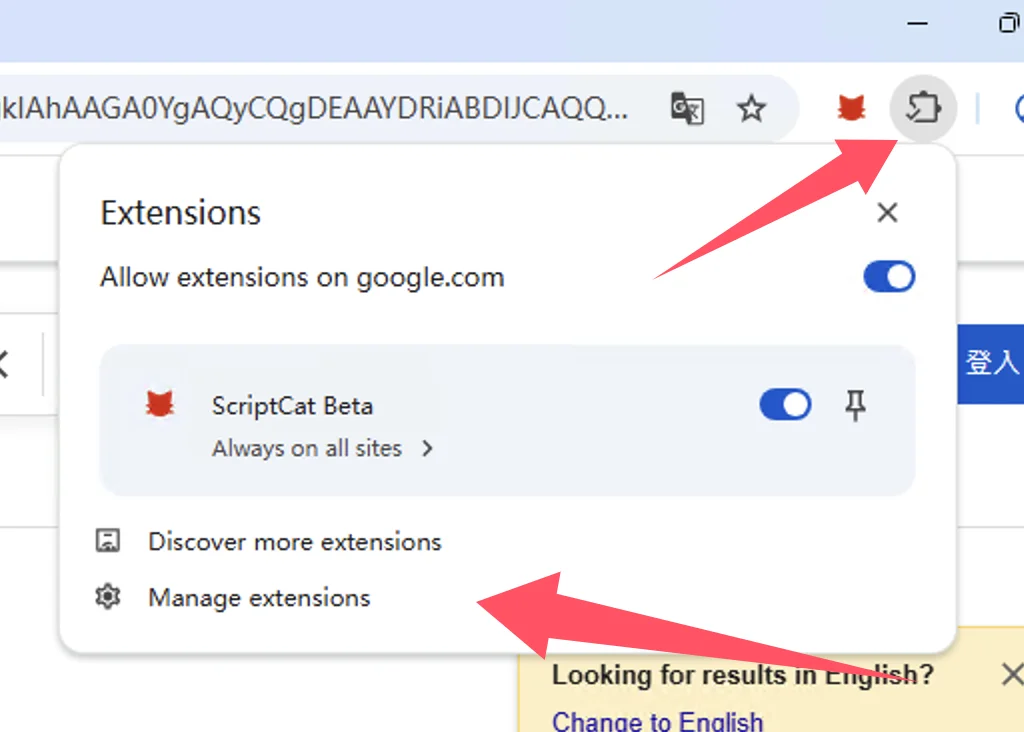
In the extension management interface, find the ScriptCat extension and click Details
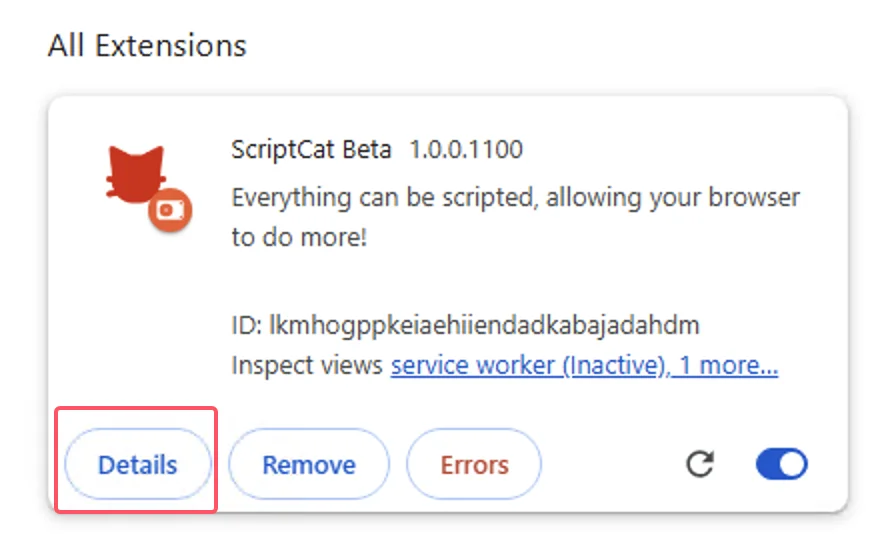
In the ScriptCat extension details page, find the Allow User Scripts option and enable it. Then disable and re-enable the extension, or restart the browser to make the script functionality effective.
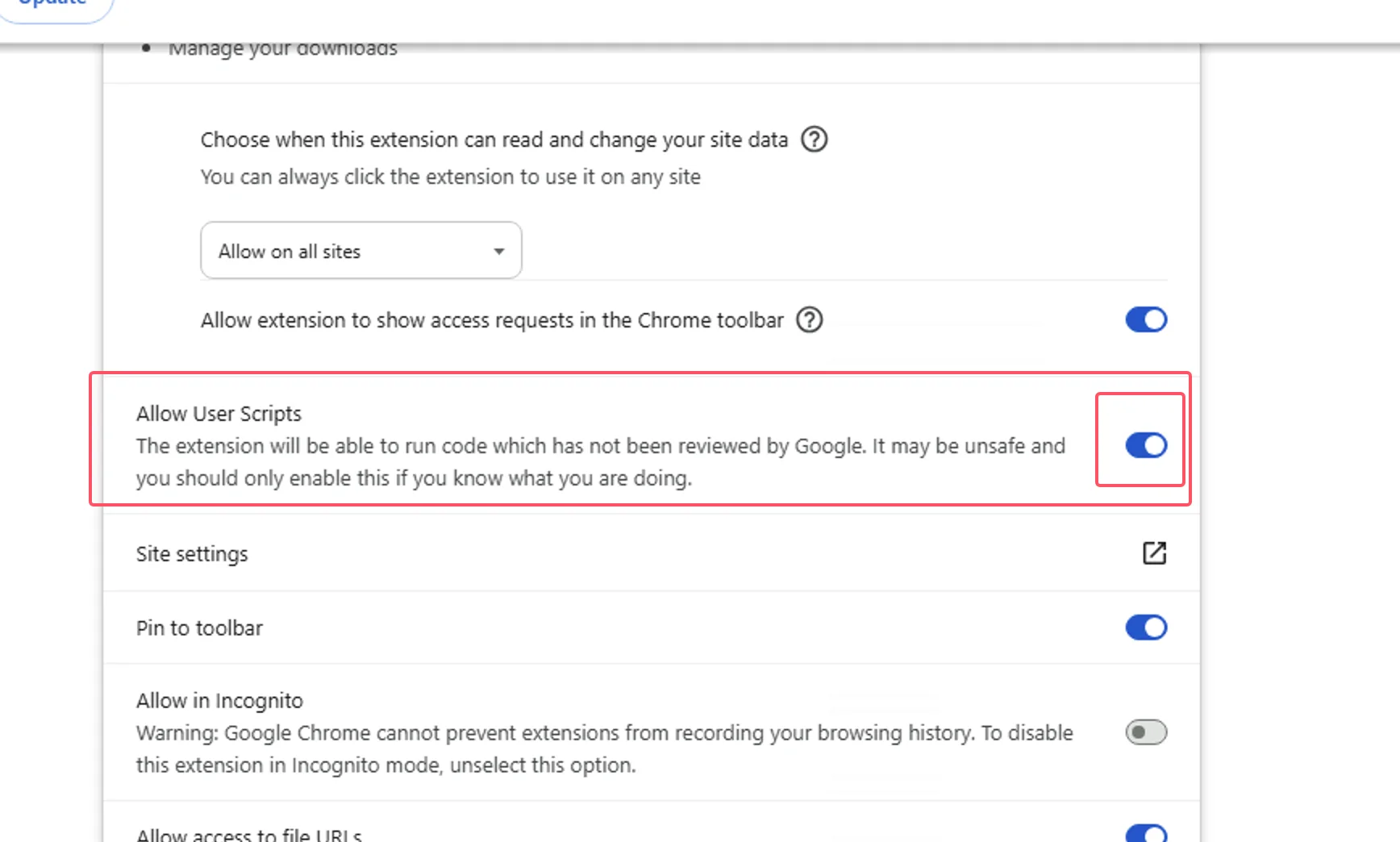
Enable Developer Mode
Toggle the Developer mode switch in the top right corner
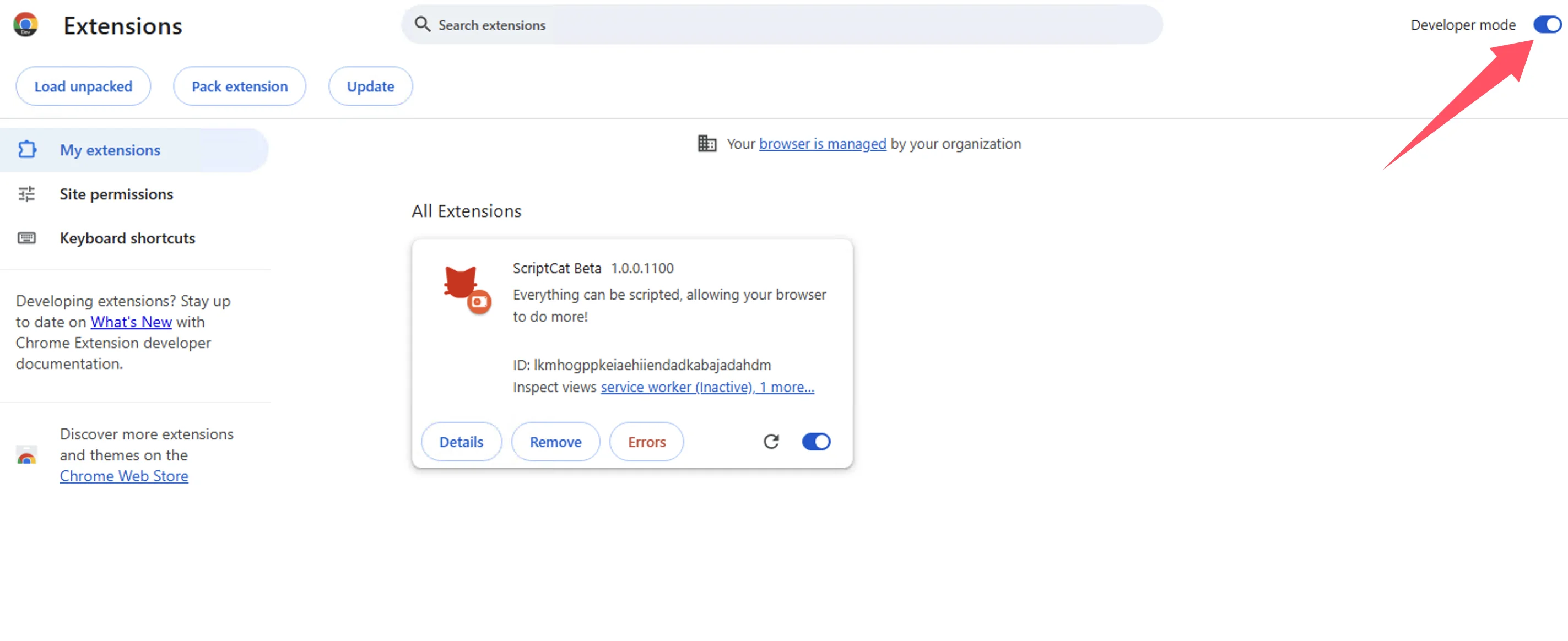
After enabling developer mode, restart the browser to make the script functionality effective.
Install the userscript
Once ScriptCat is installed, and your browser restarted, install the OhMyMathpad userscript.
Install userscript